How to touch type ⌨️🦖
Use all the fingers
The main idea with touch typing is to use all the fingers in your hands. You will place your hands on the keyboard always in the same way and you will teach each of your fingers to press specific keys.
Some fingers are gonna be harder than the others. Especially the pinky fingers have a lot to do on the keyboard and you will find using them uncomfortable and hard. That's normal but they will improve with time.
The keyboard and hand placement
Look at the F and J keys on your keyboard. Those
are special and are always marked with dot or line bumps so you can easily find
them without looking:
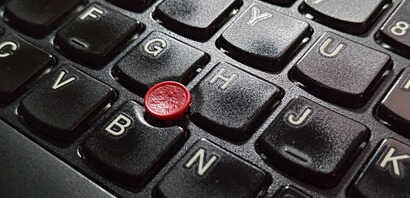
Place your index fingers on the bumps and you will have your hands placed in
so called "home row". Each finger has specific keys assigned to it and the
most of the work is done by index and pinky fingers. See both hands below:
Try to gently curl your hand and then all your fingers should line up
ideally to be placed on the four keys of their home row:
And that's it
Now you know how to place your hands on the keyboard and which keys are suppose to be pressed by which fingers. That's enough to start the practice. We can dive into more details later but now just try to start typing.
Set the level to the first one "basic characters" which will test your
typing with just the characters from the home row: ASDF JKL.
Of course do that without looking down ;)